Tech Support Websites

  • Subscribe to our RSS feed.
  • Twitter
  • StumbleUpon
  • Reddit
  • Facebook
  • Digg
Showing posts with label CSS. Show all posts

Friday, 23 November 2012

jQuery Visual Navigation Menu plugin to highlight title when menu's target scrolls into view

Posted on 09:58 by Unknown

The visualNav jQuery plugin simplifies the process of building a navigation menu in which you can highlight a title in the menu when the menu's target represented as a named anchor scrolls into view.
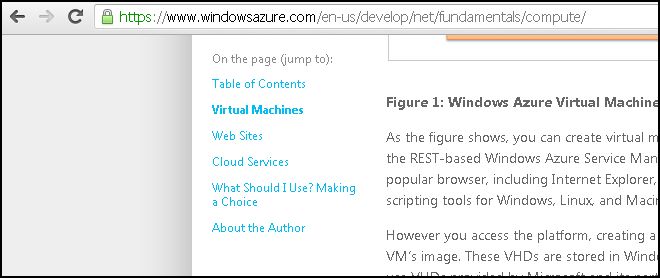
The source code, documentation and demo are available on GitHub.

Also see: My favorite jQuery plugins

Read More
Posted in CSS, jQuery | No comments

Saturday, 20 August 2011

Print stylesheet - Best Practices

Posted on 22:05 by Unknown

Using a Print stylesheet is a more convenient way to generate a printer-friendly page than creating such a page through server-side coding. Tim Connell has a nice CSS tip in his article on things to note while coding a stylesheet meant for printer output.

At some point, you have probably found yourself reading a printed article when you get to an engrossing section that includes a link for more information. A link that sits there teasing you with its blue underline. Without a mouse or Apple’s latest interfacing doo-​​hicky you have no chance of finding out where that link goes unless you return to the original article on screen.
The solution to unclickable links is an easy one to deploy. Use some CSS to print out the location of the link that would otherwise be hidden:

#content a:link:after,
content a:visited:after {
content: ” (“ attr(href) ”) “;
font-​​size: 80%;
text-​​decoration: none;
}

As a result of using the above CSS content property setting in the stylesheet meant for the printer, the actual link will appear next to a hyperlink in a printed page.

So content like this -

will show up like this in a printed page -


Read More
Posted in CSS, Tip | No comments

Sunday, 17 April 2011

HOW TO detect unused CSS style definitions

Posted on 02:47 by Unknown
As your web app project & the team size get larger,  there is a chance that the CSS style definitions within the stylesheets grow uncontrollably due to lack of coordination among the developers. This could lead to duplicate style definitions & gradually this could impact web page performance.

Luckily, there are tools to detect unused CSS selectors per page & weed them out manually -

  • Dust-Me Selectors is a Firefox Extension (Firefox version 4 is not currently supported) that scans all the definitions inline & within external stylesheets and reports the unused ones.
  • Audit tab within Google Chrome Developer Tools (Ctrl+Shift+I) lists unused selectors as part of its performance recommendations 


Also see:
HOW TO cut & paste just the text in a browser, not the formatting
Read More
Posted in Browsers, CSS, HOWTO, Tools | No comments

Wednesday, 1 September 2010

HOW TO dynamically generate a Word document with custom header & footer

Posted on 09:40 by Unknown
Way back in 2004, a project I was working on required a web page to be exported as a Word document (.DOC). Without relying on any components, I utilized the Office XML & HTML technique to implement this feature. I posted my sample on CodeProject to seek feedback. Over the years, I've received some generous comments & feature requests. Many wanted to know how to add a header & footer to the dynamically generated Word document.

With the help of the Microsoft Office HTML and XML Reference, I devised a hack to add a lacklustre header and/or footer. Some folks wanted to customize the contents of the header & footer but when they tried with my hack that offered limited functionality, the header/footer text showed up in the document body to their annoyance. This July, an ingenious developer posted a hack that can overcome this problem, in the Comments section of my CodeProject article. His practical workaround was to pack the duplicating header/footer text inside a table & push it off the page's dimensions with CSS.


For those interested, I adapted his VB.NET snippet into a complete sample in C#. Instead of using a ASP.NET webform as I did in the original code sample in the article, I have used a Generic Handler (.ASHX) to dynamically generate a Word document as it is more suitable for this purpose.

<%@ WebHandler Language="C#" Class="Handler" %>


using System;
using System.Web;
using System.Text;

public class Handler : IHttpHandler
{
public void ProcessRequest(HttpContext context)
{
StringBuilder sbTop = new System.Text.StringBuilder();
sbTop.Append(@"
<html
xmlns:o='urn:schemas-microsoft-com:office:office'
xmlns:w='urn:schemas-microsoft-com:office:word'
xmlns='http://www.w3.org/TR/REC-html40'>
<head><title></title>

<!--[if gte mso 9]>
<xml>
<w:WordDocument>
<w:View>Print</w:View>
<w:Zoom>90</w:Zoom>
<w:DoNotOptimizeForBrowser/>
</w:WordDocument>
</xml>
<![endif]-->


<style>
p.MsoFooter, li.MsoFooter, div.MsoFooter
{
margin:0in;
margin-bottom:.0001pt;
mso-pagination:widow-orphan;
tab-stops:center 3.0in right 6.0in;
font-size:12.0pt;
}
<style>

<!-- /* Style Definitions */

@page Section1
{
size:8.5in 11.0in;
margin:1.0in 1.25in 1.0in 1.25in ;
mso-header-margin:.5in;
mso-header:h1;
mso-footer: f1;
mso-footer-margin:.5in;
}


div.Section1
{
page:Section1;
}

table#hrdftrtbl
{
margin:0in 0in 0in 9in;
}
-->
</style></head>

<body lang=EN-US style='tab-interval:.5in'>
<div class=Section1>
<h1>Time and tide wait for none</h1>
The quick brown fox jumps over the lazy dog
...
...


<table id='hrdftrtbl' border='1' cellspacing='0' cellpadding='0'>
<tr><td>
<div style='mso-element:header' id=h1 >
<p class=MsoHeader style='text-align:center'>Confidential</p>
</div>
</td>
<td>
<div style='mso-element:footer' id=f1>
<p class=MsoFooter>Draft
<span style=mso-tab-count:2'></span><span style='mso-field-code:"" PAGE ""'></span>
of <span style='mso-field-code:"" NUMPAGES ""'></span></p></div>
/td></tr>
</table>
</body></html>
");

string strBody = sbTop.ToString();
context.Response.AppendHeader("Content-Type", "application/msword");
context.Response.AppendHeader("Content-disposition", "attachment; filename=HeaderFooter.doc");
context.Response.Write(strBody);
}


public bool IsReusable
{
get
{
return false;
}
}
}

To clearly understand the code you would have to download the Microsoft Office HTML and XML Reference which is in .CHM format (as there is no online version of it) & look up the exact meanings of custom CSS properties.

Related links:

HOW TO implement "Download as Word/Excel" functionality through a web page
HOW TO send an email with a Word or Excel file attachment built on the fly
HOW TO generate a Word document dynamically with user submitted text formatted with Free Text Box
Read More
Posted in ASP.NET, CSS, HOWTO, HTML | No comments

Tuesday, 31 August 2010

Web apps in less than 10 KB

Posted on 19:21 by Unknown
There have been over 350+ submissions to the 10K Apart contest conducted by Microsoft & Event Apart that has a prize money of over $10K.

The important rule was that participants should build a web app whose total file size including images, scripts & markup, shouldn’t be over 10K. All code must run client-side although 3rd-party Web services & JavaScript libraries like jQuery, Prototype & Typekit are allowed. The code must be standards compliant & usage of HTML5 is encouraged.

The submissions are good learning material for developers who value speed & standards. They are listed on the home page. Sort on the Highest Rating & Most Comments options (generally good indicators of popularity) in the dropdown box there, to get started with viewing the apps & their source.

Update (14-Sep-2010) - Hakim El Hattab's game measuring a measly 6.9KB has won him the grand prize of $3000 & other goodies. The entries of the other 3 Runners-Up are addictive games that you better not check if you don't want to waste time.

Related:
Get ready for HTML5
HTML5 features emerging in popular web apps
Read More
Posted in CSS, HTML, HTML5, Javascript, jQuery | No comments

Sunday, 22 August 2010

My web pages work in browser X but fail in browser Y. What to do next?

Posted on 22:18 by Unknown
It doesn't take long for rookie Web developers to realize that the browser world is as unfair as the world we live in as browsers do not all comply with standards to the same degree. As a result, they are aghast when they find that their painstakingly-built web pages fail in some browsers that they test on towards the end. Being aware of HTML, CSS & JavaScript standards is a pre-condition to building cross-browser web pages but what if you skipped that step & now have to get a project out of the door?

Almost all of the new browsers come with developer tools to help locate & debug issues that could be preventing a web page from running as intended in that browser. A good first line of action would be review & resolve the errors & warnings displayed in the Console that is generally part of the browser's native developer tools.

In Firefox, there is an Error Console in the Tools menu.

IE 8 has a Script Console under the Script tab in Developer Tools which is accessible with keyboard shortcut F12.

Safari (on Windows) has the Show Error Console option in the Develop menu.

Opera's Error Console is a tab present in Developer Tools (also called Dragonfly) that is available from the Tools menu under Advanced option.

If this step doesn't help then review these links for tips on addressing specific issues -
  • Stack Overflow: What are the typical reasons Javascript developed on Firefox fails on IE?
  • Migrate apps from Internet Explorer to Mozilla
.
Read More
Posted in CSS, HOWTO, HTML, Javascript | No comments
Older Posts Home
Subscribe to: Posts (Atom)

Popular Posts

  • 10 ways to make laptop battery last longer
    Paraphrased from a Right Choice magazine article with my own opinions: Keep the brightness of the screen as low as possible. If portability ...
  • Manipulate PDF files for free with PDFRider
    PDFRider (currently in version 0.5) is an open source project on Codeplex. This utility provides a GUI for the command-line program  Pdftk ...
  • A new JavaScript Reference to bookmark
    For years, the JavaScript section at W3Schools.com has been a indispensable source of reference for me . It will now not be my only source. ...
  • HOW TO read long text messages on the Samsung Omnia 652
    Samsung Omnia 652 clumps text messages from a single recepient together. Scrolling through a message doesn't reveal the entire message ...
  • Look what Google Goggles visual search can do
    Google Goggles is a visual search application available currently for Android powered phones. It may possibly be available for phones of oth...
  • HOW TO try Windows Azure for free (without any credit card)
    Windows Azure, Microsoft's cloud platform offers .NET developers a great opportunity to extend their skills to this new platform. You do...
  • What is the difference between Browser Mode & Document Mode in IE
    If you're a web developer and your job actively involves building web pages that work the same in all browsers including the last three ...
  • NDepend - a powerful .NET code analysis tool
    Nearly a decade ago, I was amazed when a not-so-technical project manager gave detailed feedback on my C# code in a project I was working on...
  • Pluralsight Introduction to PowerShell Course - Notes
    Summary of the 2hour 40 minute duration Pluralsight   Introduction to PowerShell course, including other interesting material I found - + W...
  • Words that leave Google Instant speechless
    2600 Magazine has compiled a list of objectionable words that Google Instant has blacklisted. Several volunteers have submitted blackliste...

Categories

  • AJAX
  • Android
  • APIs
  • App
  • ASP
  • ASP.NET
  • ASP.NET-MVC
  • Azure
  • Azure SQL Database
  • AzureInPictures
  • Bing
  • Book Review
  • Bookmarklet
  • Browsers
  • C#
  • chart
  • Chrome
  • Cloud
  • CSS
  • CSS3
  • DidYouKnow
  • E-Commerce
  • Excel
  • FB
  • Fiddler
  • Firefox
  • Gadgets
  • GeoLocation
  • GMail
  • Google
  • Google Docs
  • Google Reader
  • Health
  • Hotmail
  • HOWTO
  • HTML
  • HTML/CSS
  • HTML5
  • Humor
  • Hyderabad
  • IE
  • IIS
  • India
  • Internet
  • IT
  • Javascript
  • jQuery
  • JSON
  • JSONP
  • Laptop
  • Learning Resources
  • Lists
  • Map
  • Metrics
  • Microsoft
  • miscellaneous
  • Mobile
  • NAPA
  • Office365
  • Opera
  • PDF
  • Performance
  • Personal
  • PHP
  • PM
  • PowerShell
  • Privacy
  • Programming
  • Rant
  • Safari
  • Science
  • Search Engines
  • SearchEngines
  • Security
  • SEO
  • Sharepoint
  • SharePoint2013
  • Silverlight
  • Software Engineering
  • Solutions
  • SQL Azure
  • SQL Server
  • TFS
  • Tip
  • Tips
  • Tools
  • Tools/Utilities
  • Trivia
  • TWIL
  • Twitter
  • UX
  • VM
  • VS.NET
  • VS2010
  • VS2012
  • WCF
  • WebApps
  • Websites
  • WF
  • Windows Phone
  • Windows7
  • Windows8
  • Word
  • WP7
  • WPF

Blog Archive

  • ▼  2013 (112)
    • ▼  October (16)
      • 10 ways to make laptop battery last longer
      • Learnings in S/W Engineering from the HealthCare.g...
      • TWIL - Week #29
      • MS currently has 21 apps on Google Play, incl. Wor...
      • Review: uCertify PMI PMP v-5 Online PrepKit
      • TWIL - Week #28
      • HOW TO highlight a Province within a Country with ...
      • My first impressions of Nexus 7 tablet
      • Free APIs, online services to generate screenshots...
      • TWIL - Week #27
      • HOW TO prevent mixed content warning in web pages
      • What's common between Kovid Goyal & Antony Lewis?
      • TWIL - Week #26
      • FB & Twitter spam me with similar subject line
      • Book Review: PMP Rapid Review by Sean Whitaker; MS...
      • Windows Azure Mobile Services - Error: Table 'some...
    • ►  September (14)
    • ►  August (8)
    • ►  July (8)
    • ►  June (13)
    • ►  May (12)
    • ►  April (12)
    • ►  March (8)
    • ►  February (15)
    • ►  January (6)
  • ►  2012 (127)
    • ►  December (11)
    • ►  November (14)
    • ►  October (13)
    • ►  September (14)
    • ►  August (16)
    • ►  July (16)
    • ►  June (6)
    • ►  May (5)
    • ►  April (11)
    • ►  March (12)
    • ►  February (7)
    • ►  January (2)
  • ►  2011 (98)
    • ►  December (5)
    • ►  November (2)
    • ►  October (5)
    • ►  September (7)
    • ►  August (7)
    • ►  July (15)
    • ►  June (10)
    • ►  May (7)
    • ►  April (8)
    • ►  March (10)
    • ►  February (11)
    • ►  January (11)
  • ►  2010 (163)
    • ►  December (14)
    • ►  November (19)
    • ►  October (19)
    • ►  September (15)
    • ►  August (18)
    • ►  July (17)
    • ►  June (20)
    • ►  May (17)
    • ►  April (19)
    • ►  March (5)
Powered by Blogger.

About Me

Unknown
View my complete profile